OpenAI launches dots: AI assistants that carry on working whilst you’re away
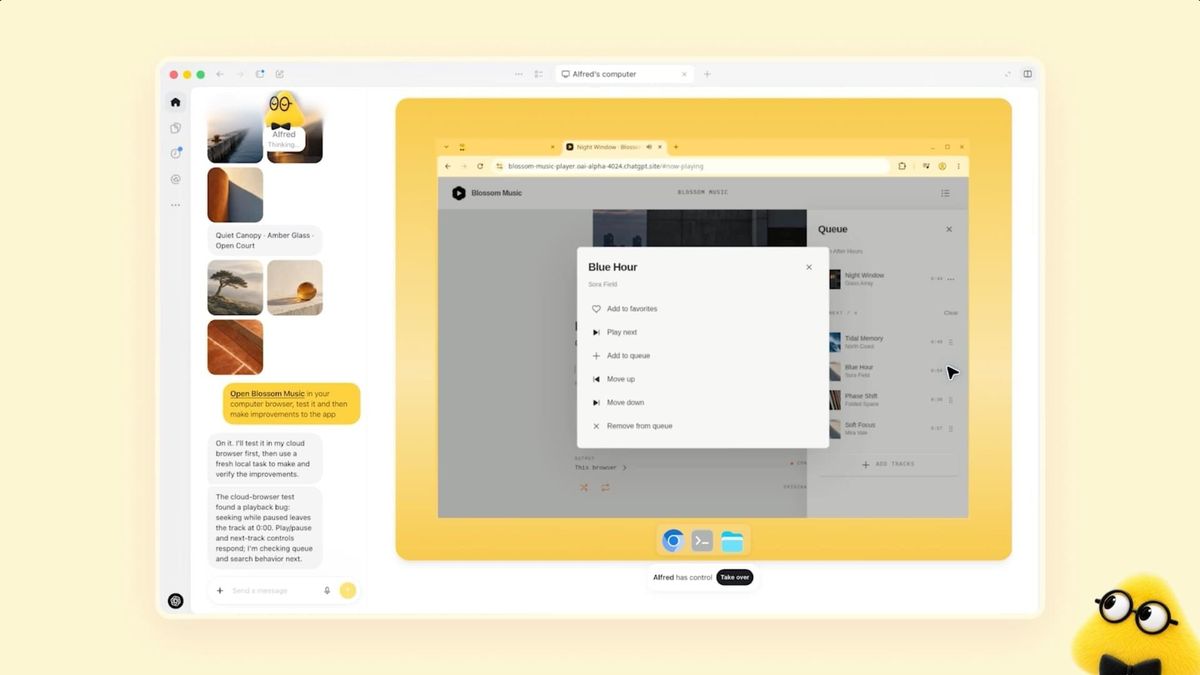
OpenAI has just launched ‘dots’. These are AI assistants that carry on working on your tasks, even when you’re not sitting at your screen.

Have you ever watched a Star Wars film and thought: ‘I want that too’? Someone pulls a little thing out of their pocket, says a few words, and then things just get done. No one opens an app. No one types a prompt. The assistant is simply there.
That’s the feeling I get when I read about the latest innovations. I’ve written about dots from OpenAI, which carries on working on your tasks even when you’re not sitting at your screen. And I’ve written about Muse from Meta, which moves AI out of the chat box and onto your desk or kitchen worktop. There are, of course, others out there, including Grok Bot.
So have we reached the point of *Star Wars*? Not quite. Your dot needs your approval before it sends anything. Muse is only available in the US and Canada, and you have to build part of it yourself. But the direction is clear. AI is ceasing to be something you go to, and is starting to be something that’s already there.
I don’t know what that will mean in a year’s time. But that’s why you’re getting both news items here today.
Enjoy reading the newsletter!
/René 🤗
Here’s today’s menu:
- OpenAI launches dots: AI assistants that carry on working whilst you’re away
- Two humanoid robots are becoming permanent fixtures at the Planetarium
- Meta is opening up the code for Muse, so you can build your own gadgets
- Danish companies are investing in AI whilst at the same time fearing it, according to a new survey

OpenAI launches ‘dots’: AI assistants that carry on working whilst you’re away
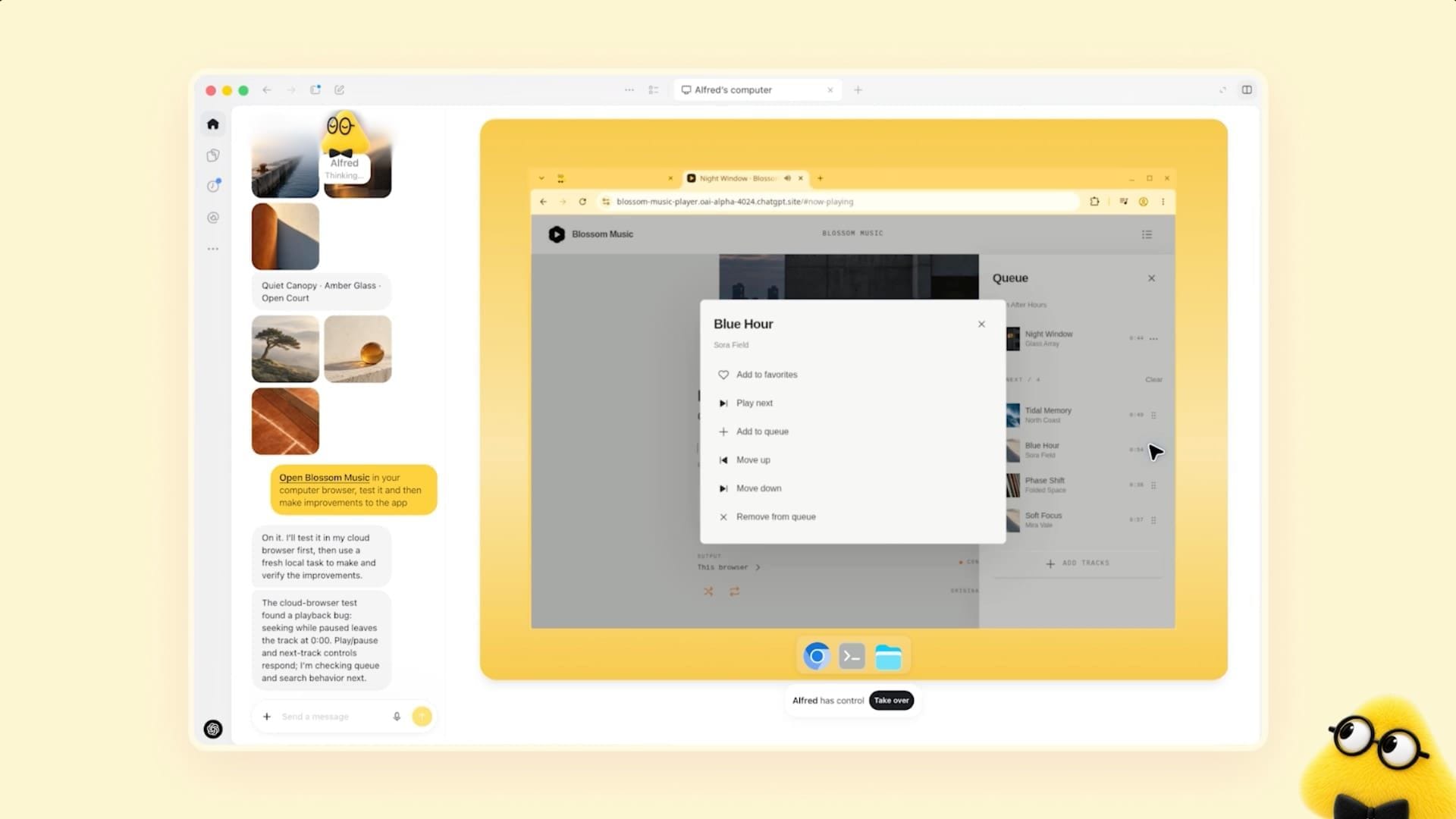
OpenAI has just launched ‘dots’. These are AI assistants that carry on working on your tasks, even when you’re not sitting at your screen. You give your dot a name and tell it what you’d like to achieve. Then it gets to work.
A dot has its own computer and its own browser in the cloud. You can open it at any time to see what the dot has been doing. It can also write and test code. And it can be connected to over 4,000 apps, such as email, calendar and Slack.
The difference between a dot and a normal chat is that you don’t need to ask first. When you’re not using it, it runs in the background, looking for things it can help with. It only has read-only access here. So it can’t send emails or make changes to your apps on its own initiative. You must approve any actions that affect your accounts or send anything out. You’ll have to change your password yourself.
OpenAI mentions an early test user whose dot realised he’d forgotten to invoice a media outlet. It created the invoice and sent it once he’d approved it.
You can message your dot via ChatGPT, Slack or Teams. Text messaging is coming soon. You can also call it.
Dots are powered by OpenAI’s GPT-6 Astra model. They’ll be available first to Pro and Business Premium subscribers, and only in selected markets. Your first dot is included in your subscription at no extra cost. Enterprise customers can try a beta version if their administrator enables it. The roll-out is happening gradually, so you might not have it yet. OpenAI itself states that errors can still occur, and that you should always review work with significant consequences.
How to use it
If you have a Pro or Business Premium subscription to ChatGPT, go to chatgpt.com/dots on your computer and create your first dot. Give it a name. If you only have the free or Plus version, you cannot try it yet. Also check OpenAI’s list of supported markets in their help centre before you spend any time on it.
Connect just two apps to start with: your email and your calendar. That way, you’ll know exactly what your dot can see.
Give it a task where the result is a draft rather than an action. Try this, for example:
“Go through my inbox and calendar from the last 14 days. Find the clients I’ve sent a quote to without receiving a reply. Write a short draft of a follow-up email to each of them in my usual tone. Don’t send anything. Save the drafts so I can read them.”
The next day, open the activity view and look at the dot’s computer. See what it has done and what it didn’t manage to do. Only then should you give it more apps or tasks that send something out into the world. Set a rule that it must have your approval before it sends anything.
Two humanoid robots become permanent fixtures at the Planetarium
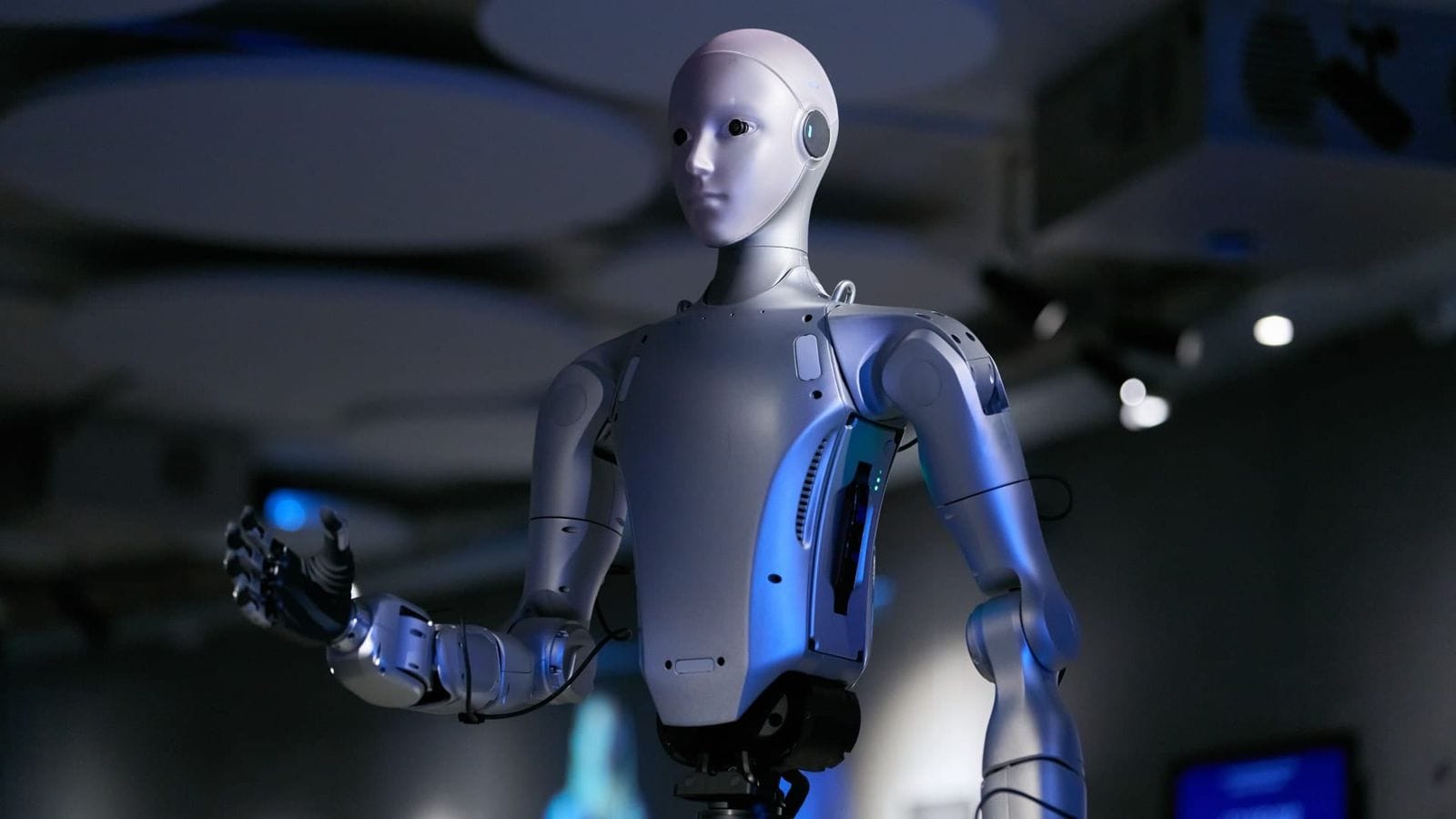
The Planetarium in Copenhagen has acquired two humanoid robots, and they are here to stay. This is the first time a Danish cultural institution has done so.
The robots are of the Unitree H2 EDU model. They are 182 centimetres tall and weigh around 70 kilograms. They have 31 joints and hands capable of making precise movements. By the end of December, there will be three of them.
At the moment, trained staff are demonstrating them in a cordoned-off area. Visitors can get close, but not quite up close. Later, the robots will be out amongst the public. They will also be used in education and at events for businesses and educational institutions. The Danish Technological Institute has helped develop the robots’ functions. The William Demant Foundation and the Louis Petersen Trust have funded the project.
Director Mette Broksø Thygesen says that the robots are intended to demonstrate the technology as it stands today. Both what is impressive and what doesn’t work yet. The Planetarium will use them to address questions such as: What tasks will we assign to machines that move like humans? And why do we react differently when a machine has a face and hands?
Why is this important?
Most people have seen clips of humanoid robots on social media. These are clips where everything goes perfectly. That’s why it’s really good that ordinary people can now stand in front of one and see just how much it can actually do. It’s far better than forming an opinion based on a manufacturer’s video.
But take a critical look. The press release says nothing about how much the robots do on their own, and how much is controlled by a person. That’s the most important thing to find out, and the Planetarium itself promises that you can see the difference. So hold them to that.
If you’re taking your family along during the autumn half-term, ask the guide: ‘Who’s controlling it right now?’ The answer will tell you more about the state of the robots than any promotional video ever could.
Meta is opening up the code for Muse so you can build your own gadgets
Meta has made the code openly available so you can build your own devices using their new AI assistant, Muse.
It could be a small screen that displays your reminders. It could be an HDMI connector that displays Muse on your TV. Or a small touchscreen that resembles Meta’s own Muse Charm.
You’ll have to build it yourself. Meta mentions a circuit board called the ESP32 and a Raspberry Pi, which is an inexpensive mini-computer. Meta itself states that you use it at your own risk.
Meta is also giving away a ready-made device, the Muse Home Link. It can switch on a light, control your TV or send a document to your printer. Meta has produced 5,000 units, which are due to be dispatched in October. You can join a waiting list.
However, Muse is only available in the US and Canada. Meta has not said when it will be launched in Europe.
Why is this important?
This is a good decision by Meta. When the code is open-source, ordinary people can decide for themselves what an AI assistant should do in their homes. You don’t have to wait for a company to build exactly what you need. If you want a small screen displaying your three most important tasks, you can build it yourself.
It’s also a step away from AI being confined to a chatbox. Here, it moves onto your desk, into the living room and onto the kitchen worktop. I think many people will discover that this is where AI becomes truly useful in everyday life.
The fact that Muse is currently only available in the US and Canada, I see as an opportunity. We have time to prepare. You can buy a Raspberry Pi or an ESP32 board today and learn how it works, so you’re ready when Muse comes to Europe.
 Jay Peters
Danish companies are investing in AI whilst at the same time fearing it, a new survey shows

More than half of Danish companies now view AI and other new technologies as one of the greatest threats to their IT security.
Last year, it was only one in four. This is shown by PwC’s Cybercrime Survey 2026, which is based on responses from over 300 Danish executives, security managers and IT professionals. However, the figure also covers the Internet of Things (IoT), blockchain and the cloud, so it is not AI alone.
At the same time, companies are investing more in AI for their own security. 51 per cent prioritise it, 25 percentage points more than last year. AI has moved up to second place in terms of security investments. PwC calls this a paradox: AI is both what companies invest in and what they fear.
Phishing remains the most common type of attack. 65 per cent of those who have experienced a security incident in the past year cite phishing. Fraud is increasingly shifting to text messages and messaging services, where it is harder to spot.
The survey also shows that 58 per cent are heavily reliant on US cloud and IT providers. Only four in ten have taken steps to reduce this reliance. And whilst cyber security is on the agenda in boardrooms, only a minority believe that the board possesses a high level of cyber expertise.
Why is this important?
This is better news than the headline suggests. More Danish companies are taking both AI and security seriously at the same time, and they are investing in both. That is the right direction to take. AI delivers the most value when used within a clear framework, and most people can make significant progress with just a few simple habits.
The most important issue for everyone is phishing. It’s still the area where things most often go wrong, and it’s spreading to text messages and messaging services. The best protection is to pause briefly before clicking. Check the sender, and ring back a number you recognise yourself if a message seems urgent. This applies whether you work for a large company, a small one, or are self-employed.
The figure of 58 per cent who rely on US suppliers provides a good opportunity for a simple exercise: what would you do if one of your most important tools were to disappear tomorrow? If you have your data under control and a backup location, you’re already ahead of most people.
Thank you for reading!
I look forward to sharing more exciting AI news with you in next week’s newsletter. Do you have any thoughts, questions or just fancy sharing your opinion? Please do get in touch – I love hearing from my readers and always reply personally.
Do you know anyone else who’s curious about the possibilities of AI? Please feel free to share the newsletter with them– together we’ll learn more! 🤗
See you on Tuesday!

Kind regards,
René Hjetting